Completing an Initial Assessment
This topic is intended for Independent pharmacies only and is not applicable to Rexall pharmacies.
This topic is applicable to Alberta pharmacies only.
If a prescription is enrolled in Trial Rx, the initial assessment can be completed from two locations. Use the dropdowns below to learn more.
 From the Rx Detail Prompt
When a Trial Rx is filled or queued, a prompt appears in Rx Detail with the option to complete the initial assessment.
To complete the initial assessment:
-
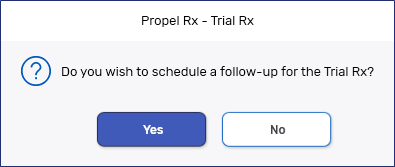
In Rx Detail, select Fill or Queue for the Trial Rx. The Trial Rx prompt appears.
-
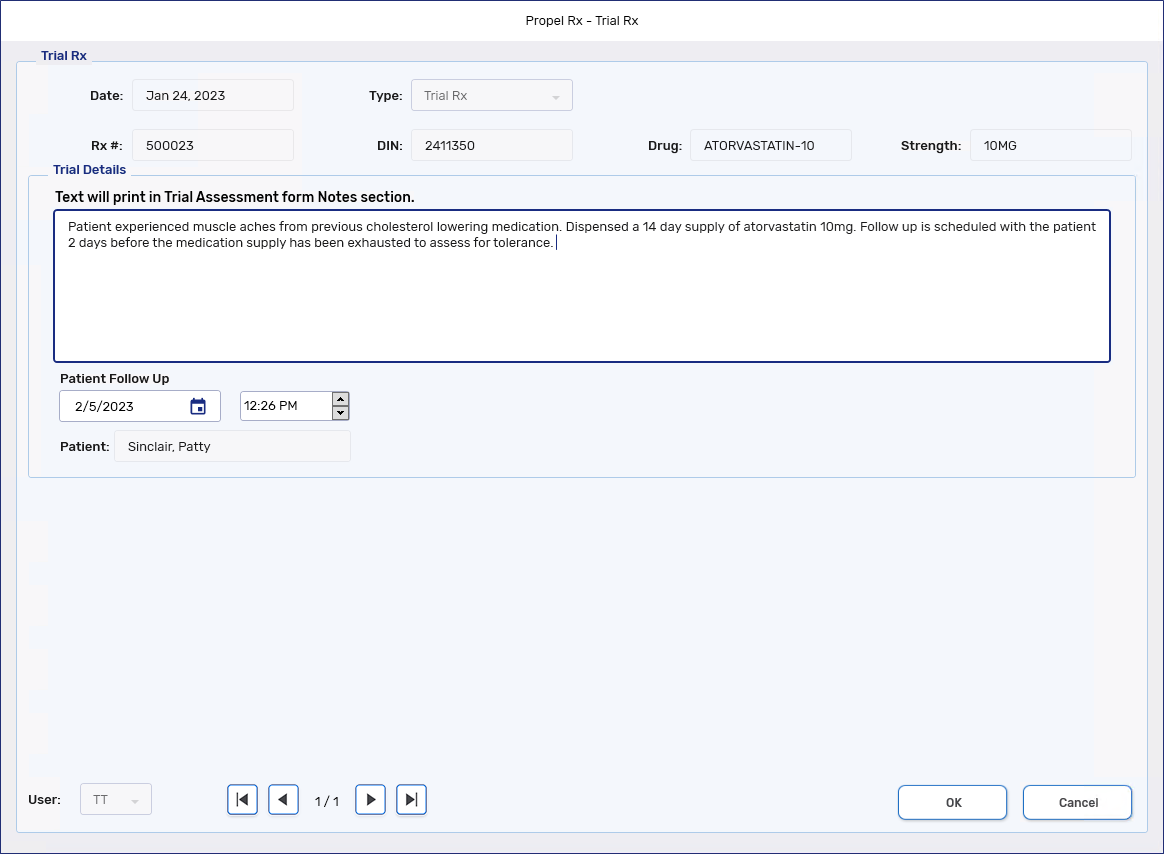
Select Yes. The Trial Rx window opens.
-
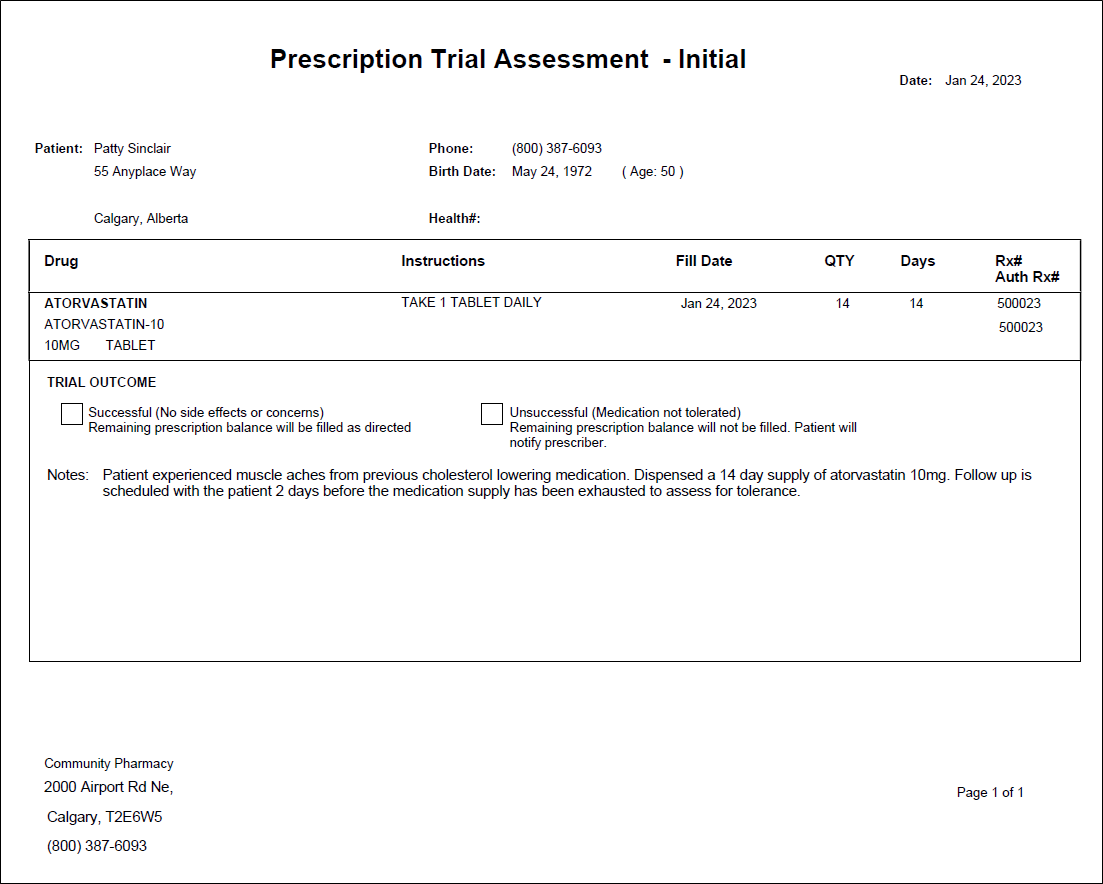
In the Trial Details section, enter comments relating to the decision/conversation about the Trial Rx. These comments appear on the Notes section of the Trial Assessment form.
A maximum of 1000 characters can be entered as a comment.
-
In the Patient Follow Up field, select the date and time to conduct the follow-up. By default, the follow-up is scheduled 2 days before the days supply of the medication elapses. If the days supply of the medication is 1-2 days, the follow-up defaults to the next date.
-
Select OK. The following updates are made:
-
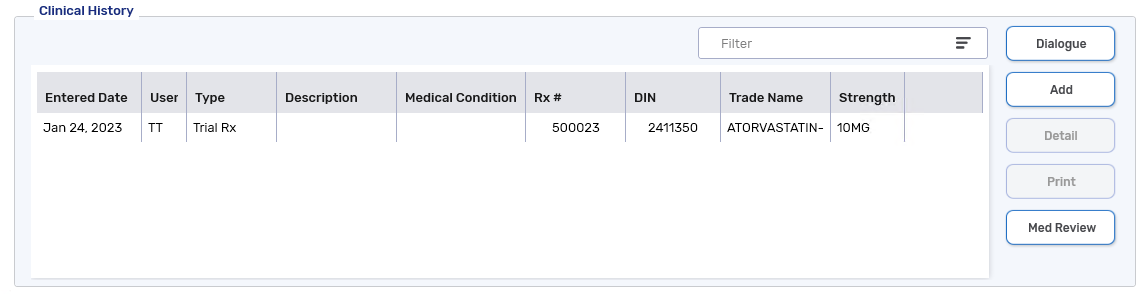
A Trial Rx clinical note is added to the Patient Folder Clinical tab.
-
The Prescription Trial Assessment - Initial form is added to the Trial Rx as an attachment.
-
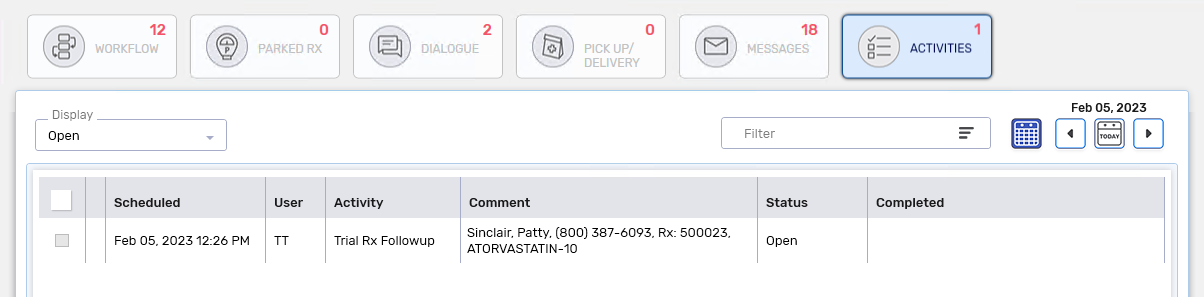
A Trial Rx Followup activity is placed on the Activities tile for the scheduled date.
-
 From the Rx Menu
If a prescription was enrolled in Trial Rx but the assessment form was not completed at the time of filling the prescription, it can be completed from the Rx menu.
To complete the initial assessment:
-
Select the Trial Rx on the patient's Profile.
Only one prescription can be selected to complete the initial assessment. The prescription must have a status of Complete or Amend and not be inactive or Discontinued.
-
Select Rx > PFS > Trial Rx. The Trial Rx window opens.
-
In the Trial Details section, enter comments relating to the decision/conversation about the Trial Rx. These comments appear on the Notes section of the Trial Assessment form.
A maximum of 1000 characters can be entered as a comment.
-
In the Patient Follow Up field, select the date and time to conduct the follow-up. By default, the follow-up is scheduled 2 days before the days supply of the medication elapses. If the days supply of the medication is 1-2 days, the follow-up defaults to the next date.
-
Select OK. The following updates are made:
-
A Trial Rx clinical note is added to the Patient Folder Clinical tab.
-
The Prescription Trial Assessment - Initial form is added to the Trial Rx prescription as an attachment.
-
A Trial Rx Followup activity is placed on the Activities tile for the scheduled date.
-
-
Proceed to Completing a Follow-Up Assessment.